
How to Complete Your Roco Kingdom Pre Register and Join Upcoming Beta Tests
Learn everything you need to know to complete your Roco Kingdom pre register process, secure beta access, and claim exclusive launch rewards.
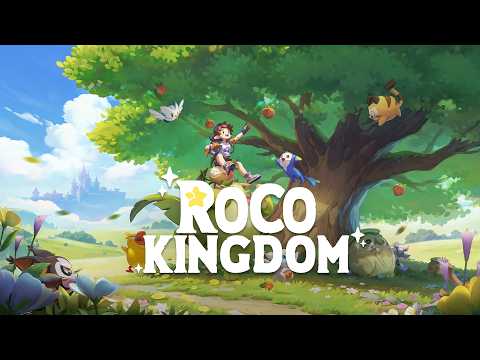 Official videoLearn everything you need to know to complete your Roco Kingdom pre register process, secure beta access, and claim exclusive launch rewards.YouTube
 Introduction to the Next Evolution of Open-World Adventure
Open-world creature-collection games are stepping into a brand-new era, and securing your Roco Kingdom pre register slot is the absolute best way to jump ahead of the competition. If you have been keeping an eye on stunning fantasy worlds, exploring rich landscapes, and connecting with unique companions, the official Roco Kingdom pre register campaign opens the door to an unforgettable magical adventure.
Developed by Morefun Studios and powered by Level Infinite, this upcoming open-world RPG is making massive waves in the gaming community. Whether you want to explore vibrant environments, collect over 400 unique creatures known as Jinies, or engage in fair PvP battles where strategy trumps raw stats, getting in early is vital. Below, we break down everything you need to know about setting up your account, securing testing opportunities, and grabbing your exclusive rewards.
Understanding the Roco Kingdom Beta and Testing Phases
The roadmap leading up to the official launch features critical testing milestones designed to refine gameplay systems and gather user feedback. Community reports and official announcements highlight that developer updates and beta rollouts are ramping up significantly.
Participating in early trials gives fans a firsthand look at the game's expansive mechanics. Let's look at how the primary test phases compare to standard public releases.
| Test / Release Phase | Target Audience | Primary Objective | Platform Availability |
|---|---|---|---|
| Closed Beta (Quack Quack Test) | Selected Applicants & Lucky Drops | Server stability, bug hunting, combat tuning | Android, iOS, PC |
| Open Beta / Soft Launch | General Public | Large-scale stress testing, economy balancing | Cross-platform |
| Official Global Launch | All Players | Full live service release | PC, Consoles, Mobile |
According to community feedback and recent trailers, these testing periods allow the development team to fine-tune open-world exploration and ensure smooth performance across various hardware configurations.
Step-by-Step Guide to Roco Kingdom Pre Register and Account Setup
Securing your place in line requires a Level Infinite account and a quick visit to the official portal. Ensuring you enter accurate information guarantees you will not miss out on vital notification emails or test selection drops.
| Step Number | Action Required | Key Details to Remember |
|---|---|---|
| 1 | Visit the Portal | Head straight to the Roco Kingdom Official Website to start the process. |
| 2 | Link Your Account | Sign in or register using your Level Infinite credentials. Keep this email unchanged. |
| 3 | Complete the Survey | Fill out the hardware and gaming preference questionnaire if applying for active tests. |
| 4 | Confirm Registration | Check your inbox for a confirmation message verifying your successful sign-up. |
Following these steps properly ensures that your profile is flagged for potential testing waves and guarantees your name card bonus upon launch.
Exploring the World: What to Expect From Jinies and Open-World Mechanics
One of the most exciting aspects drawing players toward the Roco Kingdom pre register event is the incredible depth of the game's universe. Instead of rigid, linear progression, the title offers a breathing, living ecosystem filled with secrets.
Player experience from early trailers showcases a charming visual style paired with deep mechanical systems. Here is a quick snapshot of core features waiting for players:
| Feature Category | Core Highlight | What It Means for Players |
|---|---|---|
| Creature Collection | 400+ Unique Jinies | Roam wild environments to meet, catch, and journey alongside diverse companions. |
| Combat System | Fair PvP Strategy | Outsmart rivals through tactical decision-making rather than relying purely on high stats. |
| Exploration | Vibrant Open World | Seamlessly traverse stylized fantasy regions alongside your chosen Jini partner. |
| Companion Bonding | Twin With Your Jini | Build deep connections that showcase unique visual and gameplay synergies. |
Spotlight on Iconic Companions
As you prepare your equipment and device storage, getting familiar with some of the native companions can build anticipation. Characters like Dimo embody the core themes of courage and simple, unwavering dreams. Dimo represents the light element, standing roughly 0.54 to 0.78 meters tall and weighing between 5.5 and 7 kilograms. Meeting these creatures in the wild makes completing your initial signup well worth the effort.
System Requirements and Platform Compatibility
Before diving into active playtests or pre-downloading client builds, verifying your device compatibility is essential. The developers have optimized the experience across multiple devices, but hardware specifications vary depending on your platform of choice.
| Platform | Minimum Hardware Recommendation | Recommended Configuration |
|---|---|---|
| Android | 6GB RAM, modern chipset | 8GB–12GB+ RAM for stable high-framerate open-world rendering |
| iOS | iPhone X / XS / XR / 11 series or newer | iPhone 12 through 17 series, recent iPad models |
| PC | Entry-level GPU (GTX 1050 / RX 560) | Mainstream to Mid-range GPU (RTX 3060 / RX 6700 XT or higher) |
Android users should note that test access is typically linked directly to the Google Play account associated with their Level Infinite signup. Similarly, iOS users must look out for TestFlight invitation emails containing unique redemption codes.
Claiming Exclusive Rewards and Community Perks
Beyond securing entry into early testing cycles, early adopters gain access to unique cosmetic items that will carry over to the live game environment.
| Reward Item | Acquisition Method | Benefit |
|---|---|---|
| Drowsiquack Name Card | Complete pre-registration on the official web portal | An exclusive cosmetic name card delivered upon open beta launch. |
| Lucky Drop Access | Invite friends using unique referral links | Increases priority status for selection in limited closed beta tests. |
Community members frequently share referral links across social platforms like X, Discord, and Reddit to maximize their drop rates. Taking advantage of these community-driven reward programs can dramatically boost your chances of gaining entry into exclusive testing rounds.
Frequently Asked Questions
How do I complete my Roco Kingdom pre register process?
Simply navigate to the official web portal, log in with your Level Infinite account, and complete the on-screen registration prompts. A confirmation email will verify your status.
Can I change my linked email address after registering?
It is strongly recommended that you keep your Level Infinite email address unchanged. This exact email is required to sign in, verify beta access, and claim your launch rewards.
What rewards do I get for signing up early?
Players who register ahead of time receive the exclusive Drowsiquack Name Card, which becomes available in your inventory when the open beta officially launches.
What should I do if I am selected for a closed beta test?
Selected participants will receive an email notification containing pre-download links and platform-specific instructions (such as Google Play installation links, PC launcher downloads, or Apple TestFlight redemption codes).
Related Guides
Roco Kingdom Beta Sign Up Guide: Dates, Requirements, and How to Join
Complete guide to the Roco Kingdom beta sign up process. Learn how to access the Quack Quack Test, check system requirements, and pre-register today.
Roco Kingdom Beta: Everything You Need to Know About the Upcoming Test
Dive into the Roco Kingdom beta details, featuring open-world exploration, Genie collecting, fair PvP combat, and essential pre-registration tips.
Roco Kingdom Download Guide: How to Get the Quack Quack Beta Test Build
Looking for a Roco Kingdom download? Learn how to check your beta test selection, pre-download the client, and check system requirements.